Central Front Desk for 24/7 Customer Support

Customer questions don’t wait for business hours.

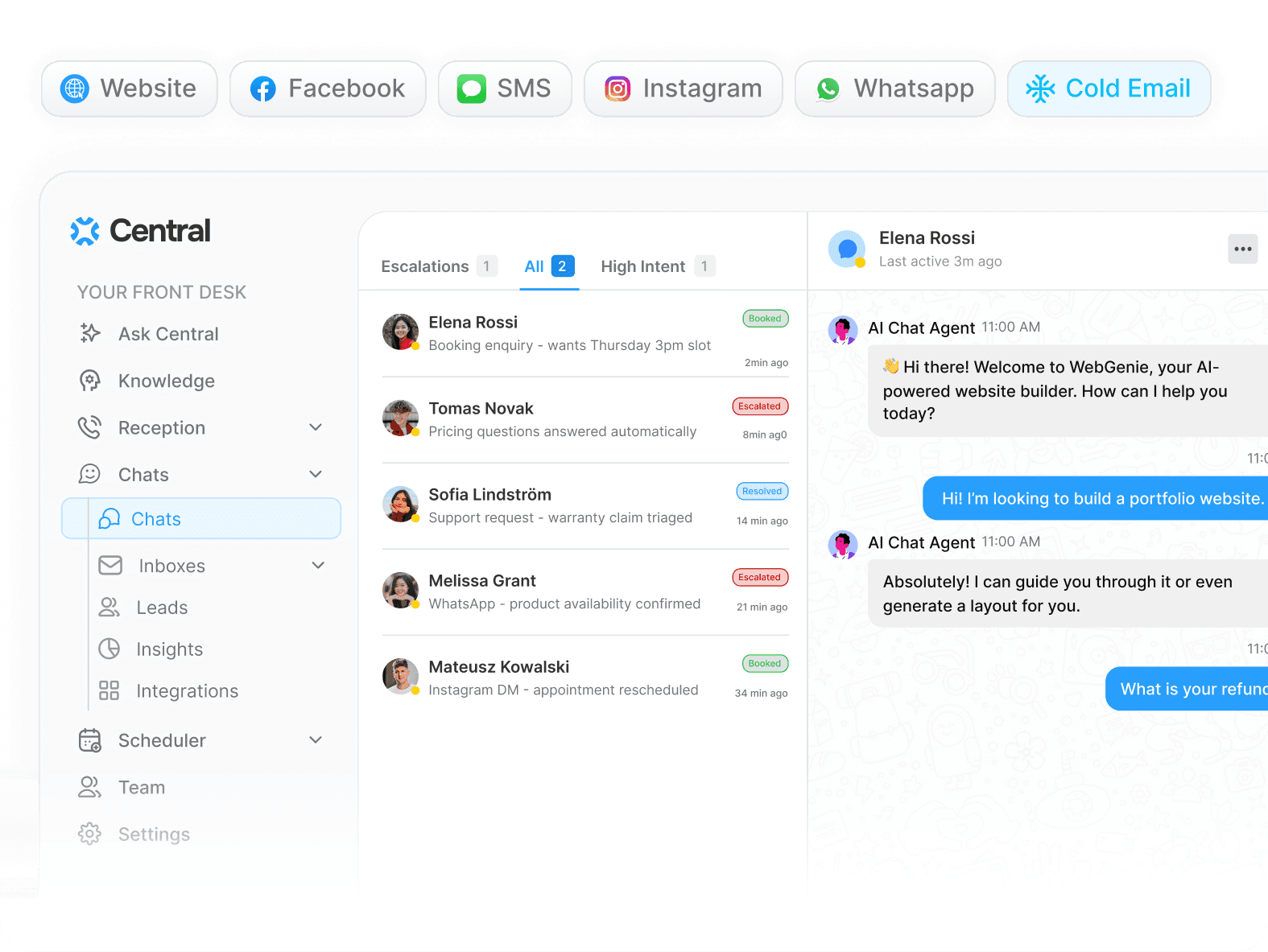
Central answers common, repeatable questions from your docs, routes complex issues, and follows up automatically so customers aren’t left waiting.

Customers get answers 24/7. Your team doesn’t burn out.

Knowledge-Based Answers

Smart Routing

Human Escalation

Automated Follow-Ups

Conversation Logs

Free to start

Setup in 5 minutes

10x hrs/week

Time saved

10x hrs/week

Time saved

80%

Faster handoffs

80%

Faster handoffs

10x

End-to-end automaitons

10x

End-to-end automaitons

10 Team

In one workspace

10 Team

In one workspace

10x hrs/week

Time saved

10x

End-to-end automaitons

80%

Faster handoffs

10 Team

In one workspace

24/7 Customer Support

Always-on support, minus the burnout.

For customers to get consistent answers around the clock, this has to be true across every conversation:

Every Message Is Accounted For

No customer inquiry disappears overnight or across channels.

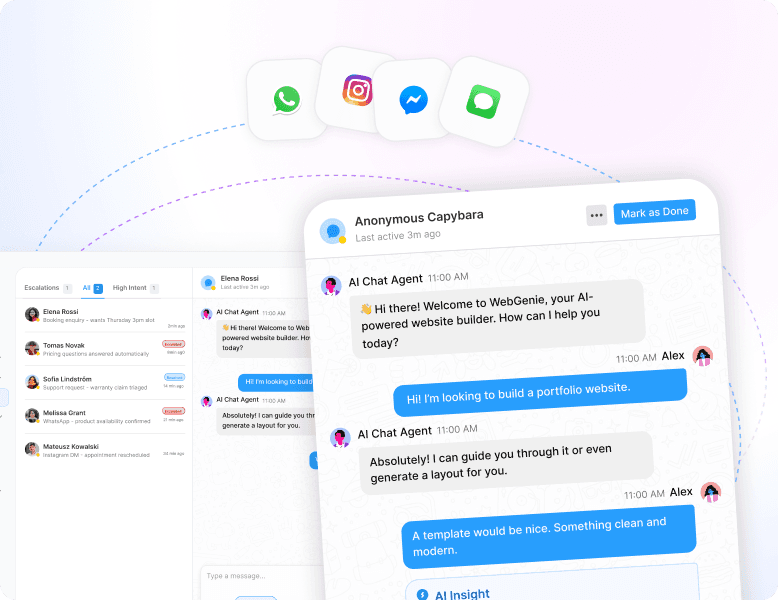
Unified Inbox

Auto-Triage

Conversation Timeline

Every Message Is Accounted For

No customer inquiry disappears overnight or across channels.

Unified Inbox

Auto-Triage

Conversation Timeline

Context Stays Intact

Conversation history and customer details remain attached, even when ownership changes.

CRM Sync

Conversation History

Context Stays Intact

Conversation history and customer details remain attached, even when ownership changes.

CRM Sync

Conversation History

Answers Stay Consistent

Customers receive accurate responses based on approved documentation and past interactions.

Knowledge Sync

Suggested Replies

Answers Stay Consistent

Customers receive accurate responses based on approved documentation and past interactions.

Knowledge Sync

Suggested Replies

Escalation Is Seamless

When human help is needed, the full context moves with the issue and follow-up continues until resolution.

Escalation Rules

Follow-Up Automation

Escalation Is Seamless

When human help is needed, the full context moves with the issue and follow-up continues until resolution.

Escalation Rules

Follow-Up Automation

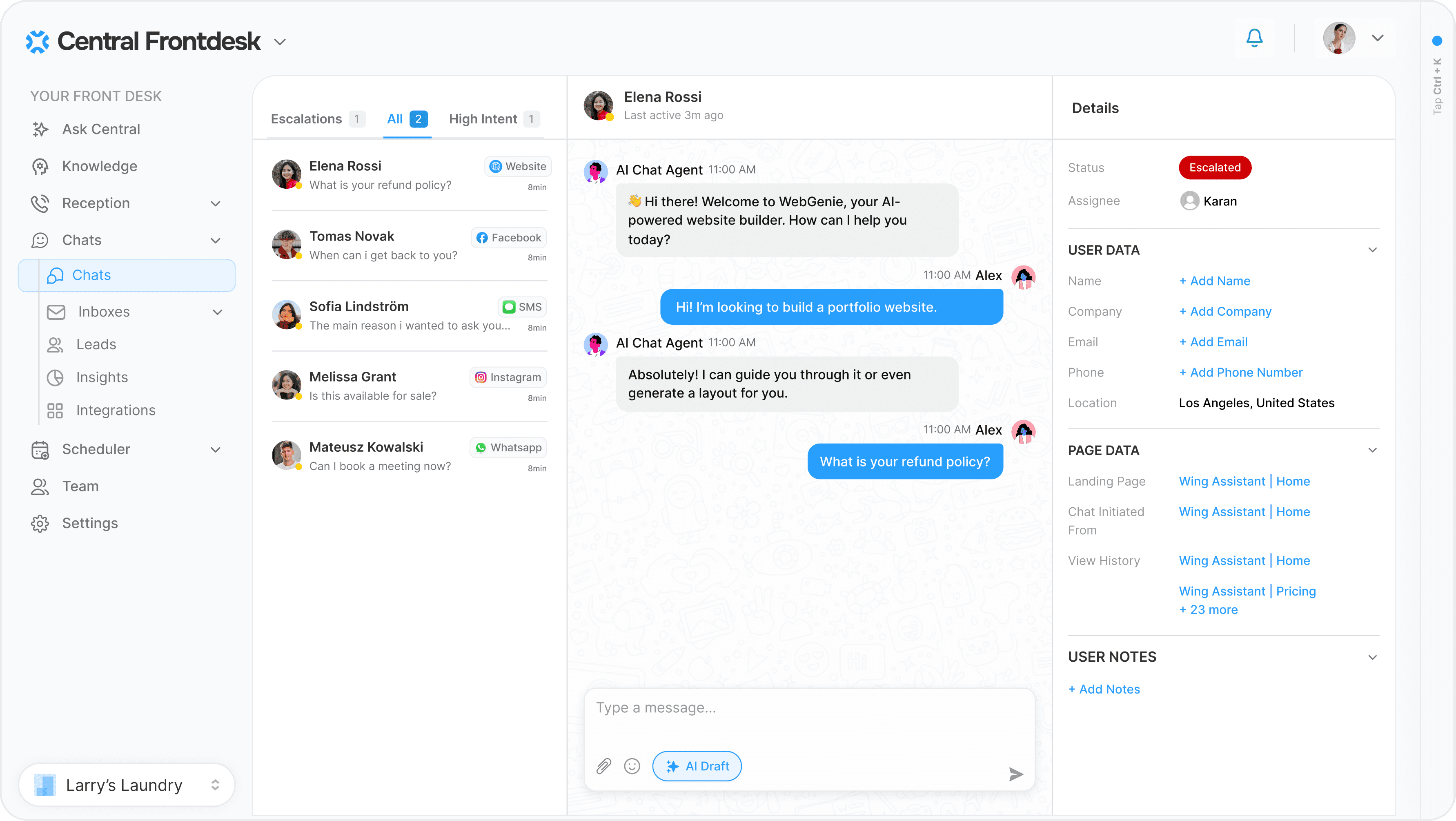
Central Front Desk

Customer support that never goes offline.

Tell Central how to handle customer questions, escalations, and follow-ups, and it responds automatically - day or night.

Handles Inbound Messages

Checks your KB, drafts the right response, and flags anything urgent for your team.

Handles Inbound Messages

Checks your KB, drafts the right response, and flags anything urgent for your team.

Updates Customer Records

Updates the CRM and support records automatically as conversations progress.

Updates Customer Records

Updates the CRM and support records automatically as conversations progress.

Recaps Conversations

Summarizes customer conversations so context is never lost between shifts.

Recaps Conversations

Summarizes customer conversations so context is never lost between shifts.

Answers From Your KB

Uses your help docs and policies to draft accurate, consistent customer replies.

Answers From Your KB

Uses your help docs and policies to draft accurate, consistent customer replies.

Automates Follow-Ups

Follows up with customers until the customer replies or the issue is resolved.

Automates Follow-Ups

Follows up with customers until the customer replies or the issue is resolved.

Routes and Escalates

Routes complex or sensitive issues to a human with full context.

Routes and Escalates

Routes complex or sensitive issues to a human with full context.

Automated Workflows

Run 24/7 customer support without manual work.

Connect your channels and let Central handle responses, routing, and follow-ups automatically.

Trigger
New customer message arrives

Identifies intent and urgency

Drafts a reply using approved docs

Sends the response after approval

Logs the conversation to CRM/helpdesk

Trigger
New customer message arrives

Identifies intent and urgency

Drafts a reply using approved docs

Sends the response after approval

Logs the conversation to CRM/helpdesk

Trigger
New customer message arrives

Identifies intent and urgency

Drafts a reply using approved docs

Sends the response after approval

Logs the conversation to CRM/helpdesk

Trigger
Message requires human review

Summarizes the conversation

Routes to the right owner or on-call team

Includes customer context and history

Notifies the customer of next steps

Trigger
Message requires human review

Summarizes the conversation

Routes to the right owner or on-call team

Includes customer context and history

Notifies the customer of next steps

Trigger
Message requires human review

Summarizes the conversation

Routes to the right owner or on-call team

Includes customer context and history

Notifies the customer of next steps

Trigger
No customer reply after X hours

Checks message status

Sends a follow-up

Escalates if no response after threshold

Updates status

Trigger
No customer reply after X hours

Checks message status

Sends a follow-up

Escalates if no response after threshold

Updates status

Trigger
No customer reply after X hours

Checks message status

Sends a follow-up

Escalates if no response after threshold

Updates status

Integrations

Run your customer operations automatically

Calls, messages, bookings, follow-ups, and admin handled end-to-end by AI.

  • Zapier

    Cal.com

    Pipedrive

    Zendesk

    Twilio

    Salesforce

    Shopify

    Slack

    Stripe

    Woo Commerce

    Big Commerce

    Simple Practice

    Housecall Pro

  • Hubspot

    Calendly

    Typeform

    Square

    Intuit

    Setmore

    Zoho

    Formstack

    Framer

    Whatsapp

    Instagram

    Facebook

    Clio

Integrations

Run your customer operations automatically

Calls, messages, bookings, follow-ups, and admin handled end-to-end by AI.

  • Zapier

    Cal.com

    Pipedrive

    Zendesk

    Twilio

    Salesforce

    Shopify

    Slack

    Stripe

    Woo Commerce

    Big Commerce

    Simple Practice

    Housecall Pro

  • Hubspot

    Calendly

    Typeform

    Square

    Intuit

    Setmore

    Zoho

    Formstack

    Framer

    Whatsapp

    Instagram

    Facebook

    Clio

Why Central

Why teams choose Central for 24/7 customer support.

Keep customer conversations moving with automatic replies, escalation, and follow-ups—without staffing around the clock.

One Inbox, Not Many

All customer messages flow into one place so nothing gets missed after hours.

One Inbox, Not Many

All customer messages flow into one place so nothing gets missed after hours.

Clear Ownership

Every conversation has an owner and status when human follow-up is required.

Clear Ownership

Every conversation has an owner and status when human follow-up is required.

No More Chasing

Central follows up automatically until the issue is resolved.

No More Chasing

Central follows up automatically until the issue is resolved.

Instant Answers

Reply to common customer questions using your approved docs and policies.

Instant Answers

Reply to common customer questions using your approved docs and policies.

Set & Forget

After-hours responses, follow-ups, and escalations run automatically.

Set & Forget

After-hours responses, follow-ups, and escalations run automatically.

Consistent Playbooks

Turn support rules and FAQs into repeatable, reliable customer responses.

Consistent Playbooks

Turn support rules and FAQs into repeatable, reliable customer responses.

Loved by 1000+ businesses

Never leave customers waiting—day or night.

Every conversation is captured, assigned, and followed through.

Loved by 1000+ businesses

Never leave customers waiting—day or night.

Every conversation is captured, assigned, and followed through.

Loved by 1000+ businesses

Never leave customers waiting—day or night.

Every conversation is captured, assigned, and followed through.