Your best receptionist can't answer two calls at once.
When Jenny is checking in a patient, verifying insurance, and answering the phone, something has to wait. Sometimes, it's your next new patient.

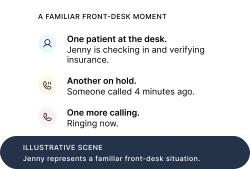
Give the ringing phone somewhere else to go.
Central answers overflow and after-hours calls. Your team keeps the desk.
You're between patients. Jenny stops you in the hallway: insurance verification is backing up, two patients are waiting to check in, and she still hasn't returned this morning's calls.
You know she's working hard. You also know you can't keep stepping out of the exam room to help.
Then you look at the schedule. There are openings tomorrow.
Is the problem getting enough new patients—or answering the ones already trying to book?
01
The gap you don't see
A full front desk can still leave holes in your schedule.
A patient at the counter is visible. A new-patient inquiry that rings out is easier to miss. It may become a voicemail, a callback task, or a conversation that never happens.
9:41 AM
Jenny calls an insurer.
A patient needs coverage confirmed before their visit.
9:42 AM
A new patient walks in.
Forms, insurance card, a question about the copay.
9:43 AM
Someone calls to book.
Jenny still has one pair of hands.
Not every missed call is a lost appointment. Some callers try again. Some leave a message. But if you're paying to bring patients to your practice, it's worth knowing what happens when the phone rings at the wrong moment.
Jenny doesn't need to work harder. She needs backup when the next call comes in.
02
What backup actually does
Keep Jenny. Give her an Al receptionist for the calls she can't take.
Central can answer calls that overflow your front desk, plus calls after closing. It follows your practice's instructions, answers routine questions, and books eligible appointments in your connected scheduling system.
Your team still handles the people in front of them. Central handles the next caller—and passes clinical questions or exceptions to the right person using your rules.
Start with the phone queue. You don't have to change your entire front desk or introduce every automation at once.

03
The question behind the price
How many extra visits would make this worth it?
You don't need a dramatic revenue promise. You need a small number of genuinely additional, completed visits to cover the cost.
Use what a visit contributes after its variable costs—not the amount on the claim. At $499 a month, a $150 contribution per extra visit would mean roughly four additional completed visits a month to cover the base subscription.
04
The part you shouldn't have to manage
You run the practice.
We set up the phone coverage.
The last thing you need is software that comes with a new job for Jenny. Central's team handles configuration with your practice, including your scheduling rules and what should happen when a caller needs a person.
1
Tell us where the phone needs backup.
Choose overflow, after-hours, or both. We confirm your phone setup, EHR compatibility, and booking requirements before activation.
2
We configure it. You try it.
Choose overflow, after-hours, or both. We confirm your phone setup, EHR compatibility, and booking requirements before activation.
3
Tell us where the phone needs backup.
Choose overflow, after-hours, or both. We confirm your phone setup, EHR compatibility, and booking requirements before activation.
Insurance verification can be a separate workflow where supported. The first job here is simpler: give callers an answer while Jenny is busy.

CENTRAL PHONE COVERAGE • ONE PRACTICE LOCATION
Give Jenny backup.
Starting with the next call she can't take.
AI answering for overflow and after-hours calls, configured for your practice by our team.
$99
/first month
Then $499/month. Cancel before the next renewal.
One location; overflow, after-hours, or both
500 AI call minutes per month; $0.75 per extra minute
Routine questions and supported appointment scheduling
Call transfers and messages using your instructions
Configuration, testing, and ongoing adjustments included
First month starts when your phone coverage goes live
Keep your receptionist. Keep your number. We handle setup.
We confirm your phone and EHR setup before activation. If we can't support the agreed workflow, your first payment is refunded.
Proposed offer for this concept; pricing, usage, and refund terms are not a live Central promotion.
The questions you'd ask before giving it your calls.
Will Jenny have to learn a new system?
Central's team handles the configuration. Someone at the practice still needs to confirm appointment types, hours, routing, and exceptions, then help test the setup. The goal is to remove phone work without making Jenny configure the AI herself.
What if it books the wrong appointment?
Scheduling needs to be configured around your providers, visit types, and restrictions. Test those rules before activation. Calls outside the approved workflow should transfer or become a structured message. AI can make mistakes; review early calls and adjust with Central's team.
Does it work with my EHR?
Central advertises support for systems including athenahealth, eClinicalWorks, AdvancedMD, Tebra, and others. Support depends on the workflow and your deployment. The team confirms your specific setup before activation; a logo alone is not a compatibility check.
What about urgent or clinical questions?
Central does not provide medical advice. It follows your approved escalation instructions, including transfers to your team or on-call line. Those rules are part of setup and testing.
How is patient information handled?
Central states that it signs a Business Associate Agreement before accessing protected health information, encrypts data in transit and at rest, and does not use patient data to train models. Your practice can review the agreement and security information before activation.
Do I have to replace our phone number or receptionist?
No receptionist replacement is part of this offer. The intended setup routes selected calls from your existing number to Central. The team checks the forwarding options supported by your phone provider.
What if I manage several locations?
Start by discussing one location's call flow with Central's team. Multi-location contracts, security review, and procurement are handled separately from this proposed single-location offer.